
Sonnet Suites - Sonnet Interface with NI AWR Microwave Office
Features for 32-bit NI AWR Microwave Office Interface
- A revised EM project options panel for the Sonnet simulator is now available in the software, providing you with more access to more of the advanced features in the software.
- Nearly all Sonnet advanced features and settings are now available through the API interface, many under the "Advanced" buttons. The inclusion of these advanced options in the API greatly reduces the need for advanced users to open the MWO EM Project in the Sonnet native editor in order to set the options.
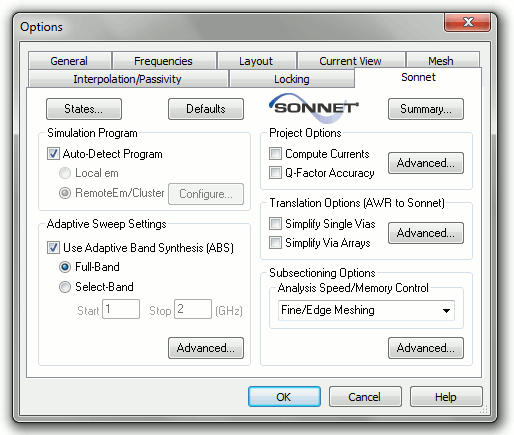
NI AWR Microwave Office EM Project Options window showing the Sonnet EM project options and Advanced feature access
- The availability of States for the Sonnet EM API. States enable one-step configuration of nearly all Sonnet options and definitions.
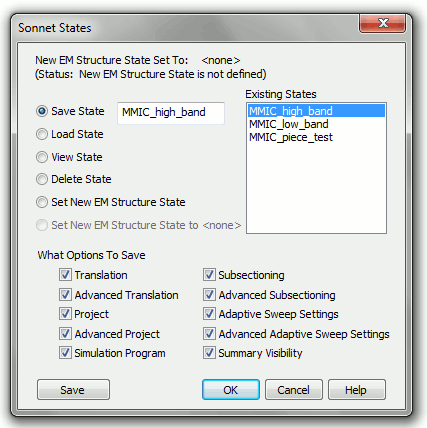
Sonnet States dialogue in the NI AWR Microwave Office API. States provide a way to save and load all Sonnet options within a single definition.
- Internal layout ports in MWO EM Projects are now automatically mapped to Sonnet Co-Calibrated Ports.
- Ports in MWO EM projects that appear at rotated angles (i.e., not X- or Y-aligned) are automatically mapped to diagonal ports in Sonnet.
- All Sonnet API interface settings can be viewed at a glance using the "Summary" button in the Sonnet API.


