
Remote EM Computing
Remote EM Analysis Job Queuing
Editing layouts and viewing data doesn't usually need much horsepower, but simulating can. With Remote EM, it's easy to set up servers to run your simulations. Any user can easily specify a set of Sonnet projects to simulate on one or more remote computers (Windows or Linux) from their desktop or laptop. Multiple queues can even be created to run on many machines at the same time.
All Sonnet installs are ready to submit jobs to EM Servers. To set up an EM Server, simply install Sonnet on the server, and enable the EM Server settings from the Admin panel.
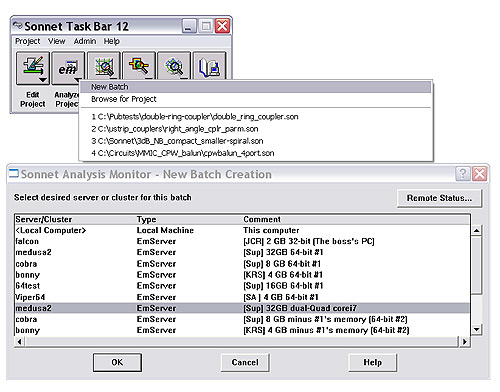
With Sonnet Remote EM, you have the option to run your EM analysis locally, or in any remote batch queue where the Remote EM Server is activated


